The Screen That Sells – Marketing Capabilities of the BouquetMat Monitor
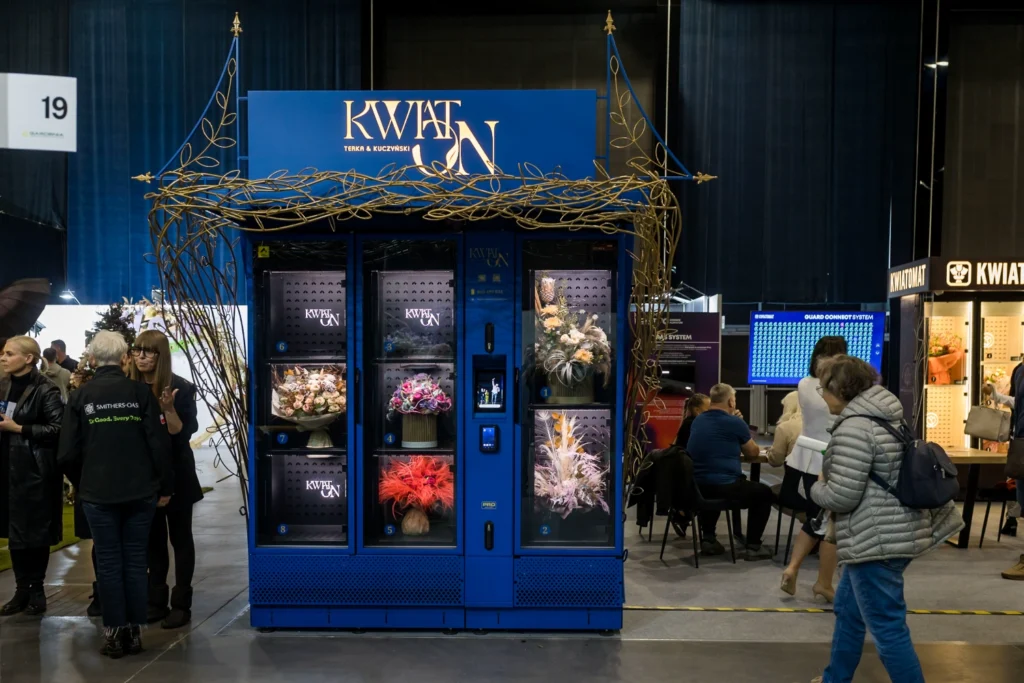
When we think about a BouquetMat, we very often focus on its physical form. The casing, color, design, lighting, and bouquet display – all of these elements create the first impression and act as a natural advertising billboard in public space. A well-designed BouquetMat attracts attention, stands out, and becomes a form of communication with the customer in itself.
However, this is only one layer.
The second, much less obvious one, is inside – it is the screen which was originally designed to handle the purchasing process, guiding the customer step by step through selection, payment, and bouquet collection. In practice, it quickly turned out that this same screen has much greater potential. It has become not only a transactional tool but a fully-fledged marketing communication medium.
And it is precisely this element – the BouquetMat monitor as an advertising screen – that is one of the most underestimated aspects of the entire project at the investment decision stage.
The Monitor in a BouquetMat – From Utility to Marketing Function
The primary role of the monitor is, of course, customer service. This is where the entire purchasing process takes place: bouquet selection, payment, and collection. The interface must be clear, intuitive, and as simple as possible, because it replaces the salesperson and their experience.
However, when the customer is not actively using the device, the screen does not need to remain “empty” or passive. On the contrary, it can operate in standby mode as a dynamic marketing display, communicating with anyone within sight of the BouquetMat.
This is exactly where the second, equally important function of the monitor begins – a sales function, understood more broadly than just the purchasing process itself.
Standby Mode – The Moment When the Purchase Decision Begins
From the customer’s perspective, the most important decision is made before they even touch the screen. It is the moment when they walk past the BouquetMat, stop or don’t stop, notice it or ignore it.
Standby mode allows you to influence that decision.
The screen can display various types of content:
- short promotional videos
- animations
- informational and sales boards
- messages tailored to a specific situation
As a result, the BouquetMat stops being a device that only reacts to user interaction and starts actively building interest and preparing the customer for purchase.



Product Presentation – Showing What Is Not Visible
One of the most natural uses of the monitor is to show the process of creating bouquets. The customer sees the finished product behind the glass but does not see the work behind it. A short video showing a florist arranging a composition changes the perception of the entire offer.
Suddenly, the BouquetMat is no longer an anonymous machine but an extension of a real flower shop. The customer begins to understand the quality, effort, and value of the bouquet, which directly translates into price acceptance and purchasing decisions.
Customer Education – Removing Barriers
Not every customer has experience with vending machines. For some, the first interaction with a BouquetMat may involve uncertainty.
This is why short, simple animations work very well, showing:
- how to choose a bouquet
- how to pay
- how to collect the order
Such content significantly lowers the entry barrier, shortens decision time, and increases sales effectiveness, especially in new locations or at the early stage of operation.
Promotions and Sales Communication
The BouquetMat monitor allows real-time promotional activities without any physical intervention in the device. It can easily communicate:
- weekend discounts
- promotional codes
- time-limited campaigns
- special offers
This solution works very similarly to mechanisms known from e-commerce, with one key difference – the customer is already standing in front of the product. A well-designed message can therefore translate into immediate sales.


Integration of Online and Offline Sales
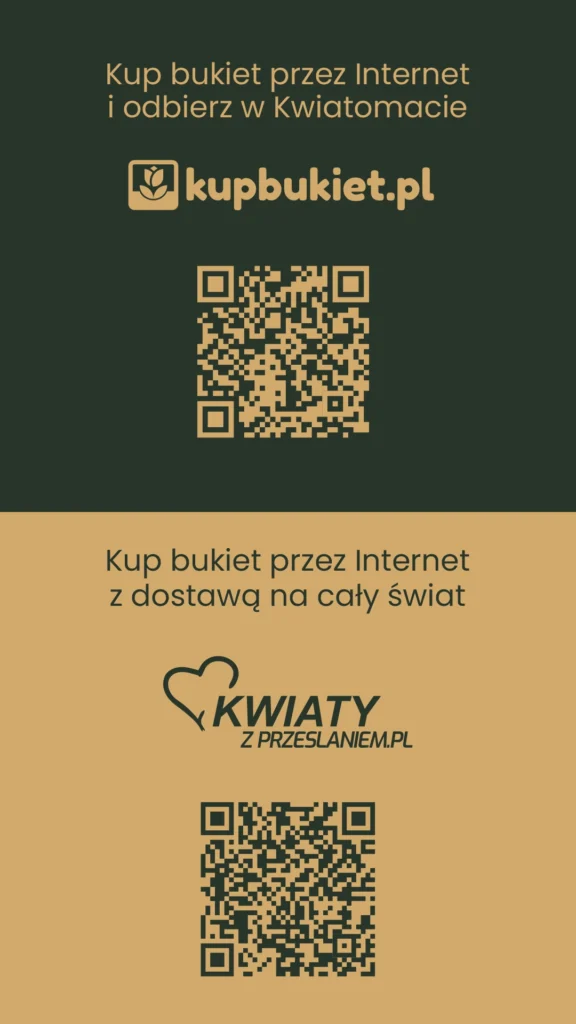
The screen can also act as a bridge between online sales and the physical Kwiatomat. The use of QR codes and messages such as “order online – pick up at the BouquetMat” allows for building a multi-channel sales model.
Thanks to this, the customer can:
- order a bouquet in advance
- plan the pickup
- use the Kwiatomat as a fulfillment point
This represents a completely different level of device usage – not only as a point of purchase but as part of a larger sales system.
Real-Time Communication
One of the most interesting features of the new interface is the ability to manage messages remotely. In practice, this means that the BouquetMat owner can respond to the current sales situation in real time.
A good example is when most bouquets have been sold and restocking is not immediately possible. Instead of leaving the customer with information about a lack of products, you can display a message:
“Next delivery of fresh bouquets at 3:00 PM”
This message completely changes the perception of the situation. The customer does not see an empty machine but continuity and a promise of the next opportunity to purchase. It is a simple example of how the monitor can support sales even when there is physically no product available.
Building a Local Brand
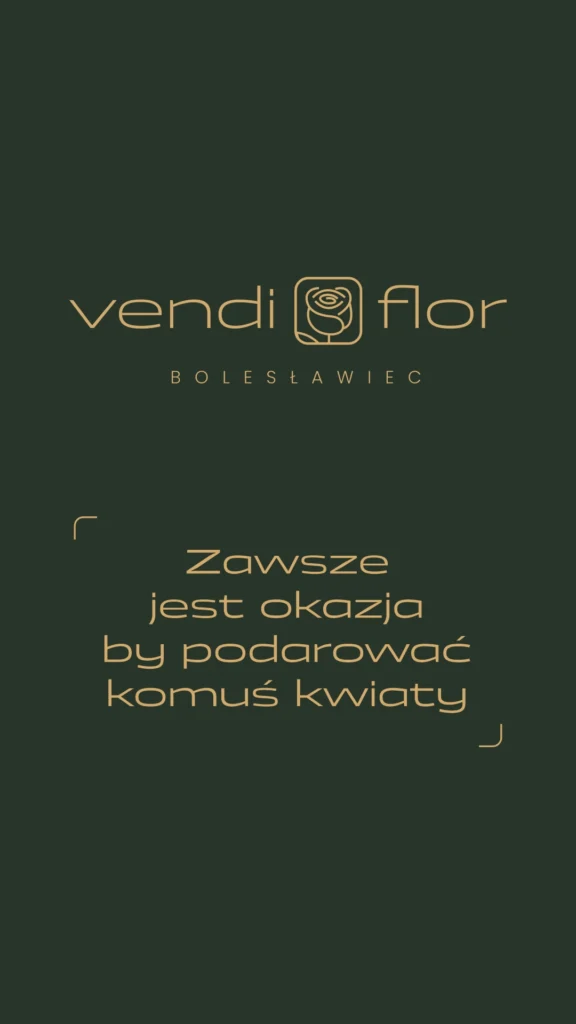
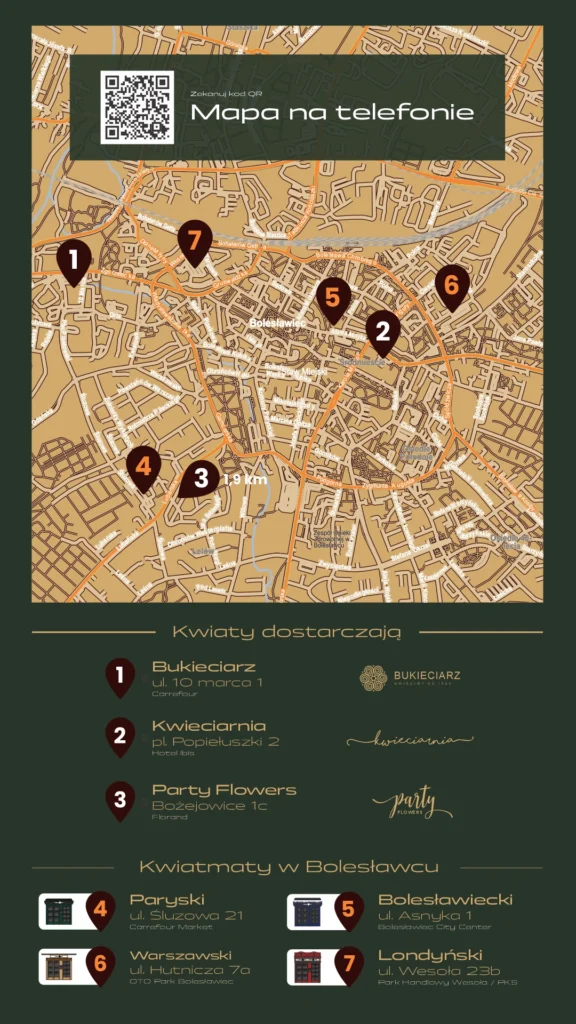
The monitor can also serve an informational function, showing who stands behind the BouquetMat. Presenting local florists, preparation locations, or other points of sale builds trust and strengthens the relationship with the customer.
In practice, this means moving from an anonymous machine to a local project backed by real people and real places.
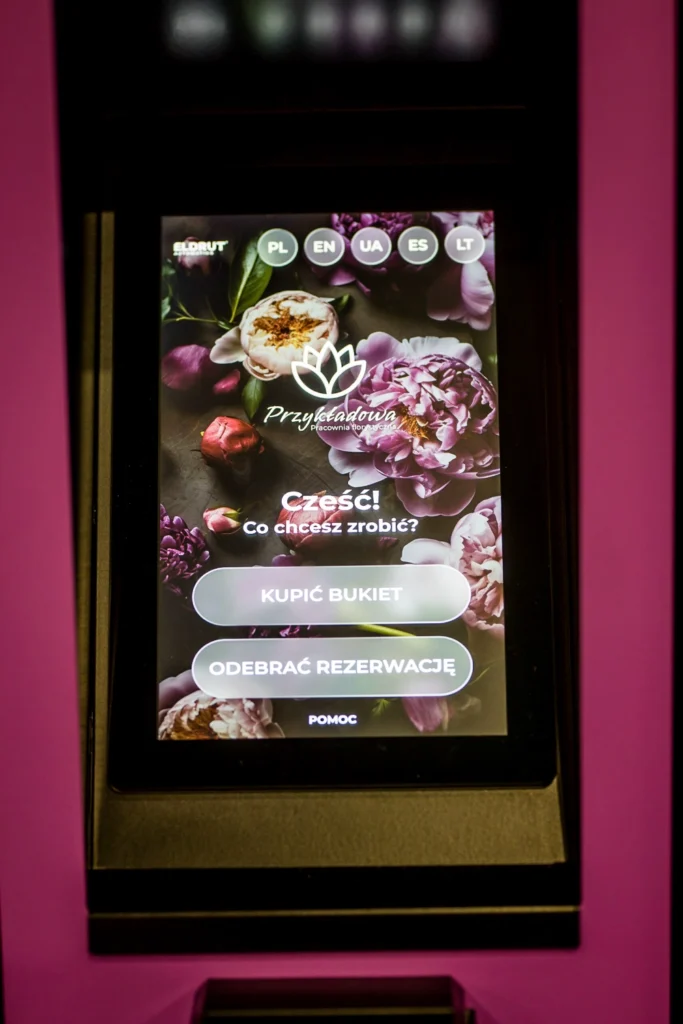
Interface Personalization – Consistency That Builds a Brand
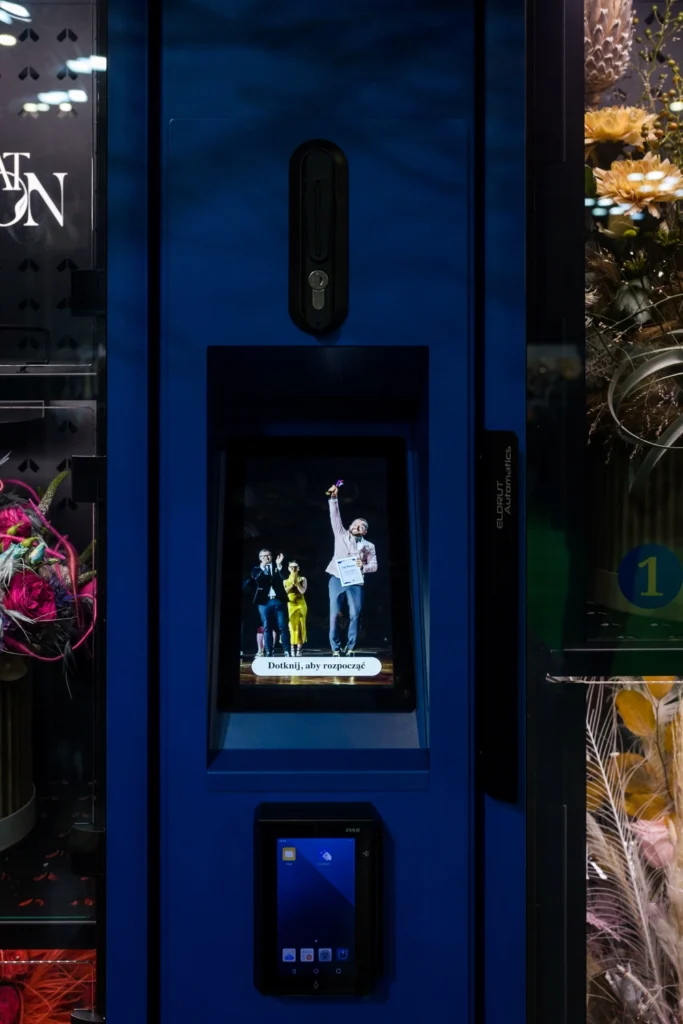
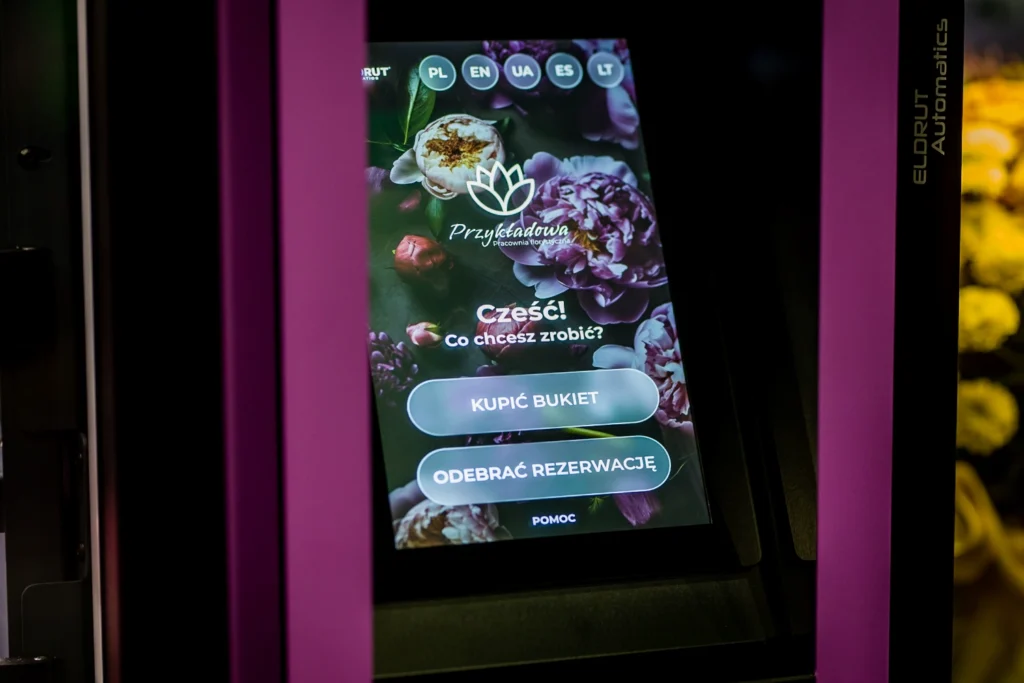
It is worth emphasizing that the BouquetMat monitor is not a closed, universal visual solution. The interface can be fully adapted to the character of a given implementation and remain consistent with the entire visual identity of the project. The screen background can reflect the machine’s external wrap, repeat its graphic motifs or color scheme, creating a cohesive and well-thought-out whole. It is possible to use logos, custom brand messages, adjust fonts, colors, and images that best represent the style of a given flower shop. As a result, the screen stops being a neutral technical interface and becomes an integral part of the brand – recognizable, consistent, and building a professional image in every location.
Main screen with customized background, logo, and brand message – an example of full interface personalization.
Summary
The monitor in a BouquetMat was designed as a tool for handling sales. In practice, it has become one of the most important elements of the entire system – combining utility and marketing functions.
On one hand, it guides the customer through the purchasing process.
On the other, it builds interest, communicates, educates, and supports sales.
This combination is where its greatest value lies.
Because sales in a BouquetMat often begin not at the moment of bouquet selection, but much earlier – at the moment when the customer looks at the screen.
At the End – It’s Worth Talking About It
The capabilities of the BouquetMat monitor are a topic that is difficult to fully cover in a single article. It is not just about technology, but about the way of thinking about sales, communication, and building relationships with customers. Each location, each flower shop, and each business model creates different opportunities for using this tool.
That is why, instead of looking for one universal solution, it is worth simply discussing what may work best in your specific situation. Polish BouquetMats produced by Eldrut Automatics are currently among the most advanced solutions on the market – not only in terms of construction but above all in functionality and development potential.
If you want to see how the BouquetMat screen can be used in practice, how to combine sales, marketing, and automation in one place, contact us. The best ideas very often come from conversation.
If you want to learn more about the possibilities of modern BouquetMats – in terms of sales, marketing, and network management – it is worth contacting the team responsible for the project directly.
📞 +48 574 154 184
✉ hello@bouquetmat.com
FAQ
Is the BouquetMat screen used only for the purchasing process?
No. Its primary function is to guide the purchase process, but in standby mode it also acts as a marketing screen.
What content can be displayed on the monitor?
Videos, animations, sales messages, promotions, instructions, and information about local florists.
Can the content be changed remotely?
Yes, the interface allows real-time management and updates of displayed messages.
Does the screen impact sales?
Yes, properly designed content can significantly increase customer engagement and conversion.
Can the monitor support online sales?
Yes, through QR codes and messages directing customers to online ordering and BouquetMat pickup.